Desk Stretches and Posture Fixes for People Who Sit All Day
Aching back, tight neck and tired eyes by 4pm? Here is an hourly micro-break routine, a five-stretch sequence you can do at your desk, and how to set up a chair and screen properly.
By the Wellspring Daily editorial team · How we check our guides
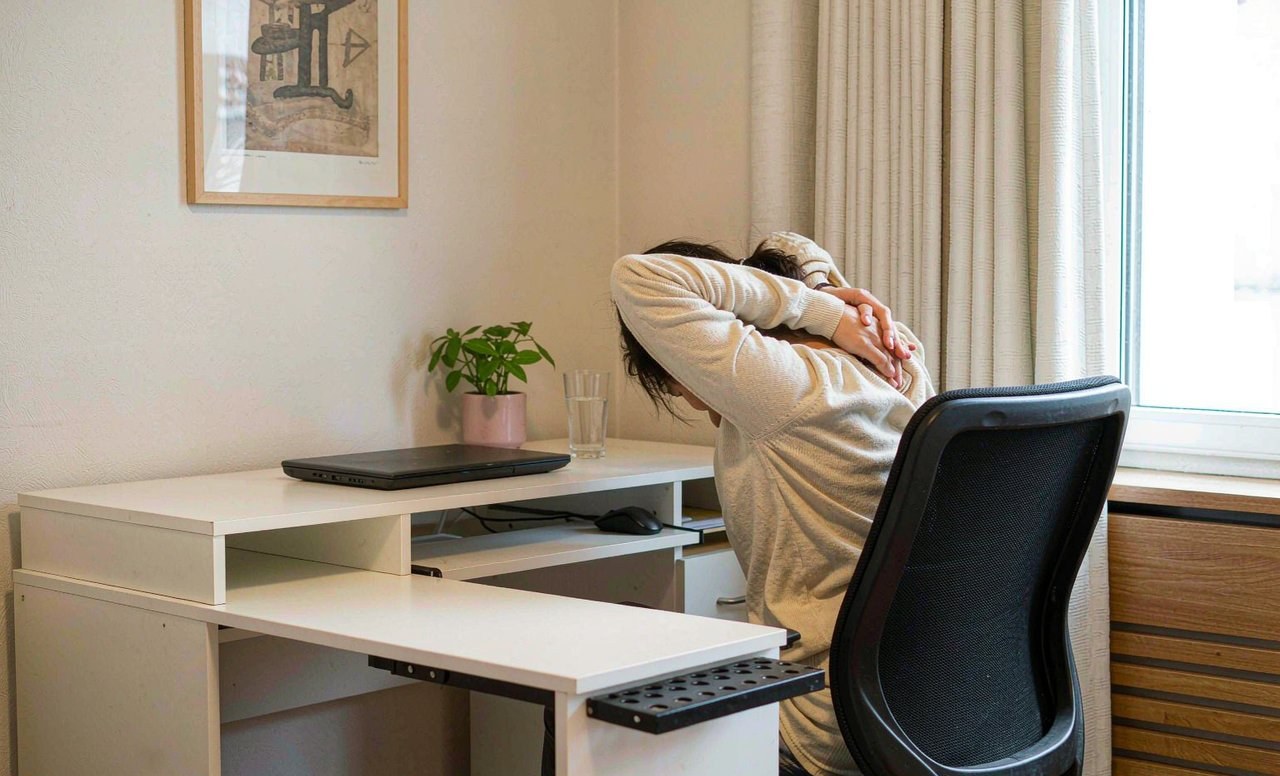
Nobody's back hurts because they sat badly for ten minutes. It hurts because they sat the same way for six hours, four days a week, for two years. The problem is not the posture itself so much as the stillness — muscles held in one position get tired, blood flow slows, and the joints that are not moving stop being comfortable moving.
That reframing is useful, because it means the fix is not "sit perfectly forever". It is to move often, and to set up your workspace so the position you naturally drift into is a reasonable one.
Why your neck and back hurt by mid-afternoon
Two things are usually happening at once.
First, sustained loading. Your head weighs roughly five kilograms. Tip it forward and the effective load on your neck muscles multiplies quickly — the further forward, the heavier it feels. Hold that for hours and those muscles stay switched on all day, which is why the ache feels like fatigue rather than injury.
Second, a lack of movement variety. Joints and discs get nutrition partly through movement. When you stay in one position, some tissues are loaded continuously and others are not loaded at all. Neither is happy about it over the long run.
The result is the familiar pattern: stiff neck by lunchtime, a dull ache between the shoulder blades by mid-afternoon, tight hips and hamstrings when you finally stand up.
The most effective habit: move every 30 to 45 minutes
If you take one thing from this guide, take this. Set a repeating timer for 30 to 45 minutes and do one of the following each time. It does not need to be a workout.
- Stand up and walk to get water;
- Walk a lap of the room or the corridor;
- Do the two-minute sequence below;
- Take a phone call standing up;
- Look at something at least six metres away for twenty seconds to let your eye muscles relax.
Our hourly movement checklist is a printable version of this list if you want something to tick off. Frequency beats intensity here: five one-minute breaks are more useful than one long stretch at the end of the day.
A five-stretch sequence you can do at your desk
About four minutes in total. Go slowly, breathe out as you move into each stretch, and stop before anything becomes sharp. You are aiming for a mild pull, not a fight.
- Neck side stretch — sit tall, drop your right ear toward your right shoulder, and rest your right hand lightly on your head for a little weight. Hold 20 seconds each side. Do not roll your head in a full circle.
- Chin tucks — pull your chin straight back so your head glides over your shoulders rather than tipping down. Hold three seconds, repeat five times. This is the single best counter to a forward head position.
- Chest opener — clasp your hands behind your back, straighten your arms and lift them gently while squeezing your shoulder blades together. Hold 20 seconds. This undoes the rounded shoulders that come from typing.
- Seated spinal twist — sit tall, place your right hand on the back of the chair and your left hand on your right thigh, then turn your torso to the right from the ribs, not the neck. Hold 20 seconds each side.
- Hip flexor and glute release — stand up, take one small step forward, tuck your pelvis slightly and hold for 20 seconds per side. Then sit and cross one ankle over the opposite knee, and lean forward gently for 20 seconds per side.
Repeat this once in the morning and once in the afternoon and it takes less time than a coffee refill.
Set the workspace up so the drift is not bad
You will not hold a perfect posture. Nobody does. What you can do is set things up so the position you slide into after twenty minutes is not actively harmful.
- Screen height — the top third of the screen should be roughly at eye level, so you look slightly down rather than up or forward. A stack of books under a laptop works fine; if you raise a laptop, add a separate keyboard so your hands stay low.
- Screen distance — about an arm's length away. If you are leaning in to read, increase the font size instead of your neck angle.
- Chair height — feet flat on the floor, knees roughly level with or slightly below your hips. If your chair is too high, use a footrest or a box. If it is too low, add a cushion.
- Support your lower back — the chair's curve, a cushion, or a rolled towel should fill the gap between your lower back and the seat back so you are not holding yourself up with your muscles.
- Keyboard and mouse close — elbows near your sides, roughly a right angle at the elbow. Reaching forward all day is a shoulder problem waiting to happen.
- Phone up, not down — for long calls use headphones and stand, or bring the phone to eye level. Looking down at a phone for an hour is the same neck load in a worse position.
Test it this way: sit how the setup encourages you to sit, look away, then close your eyes and relax for ten seconds. Open them. If you have collapsed forward or slid down the chair, change something in the setup rather than trying to remember to sit differently.
Eyes and screen fatigue
Eye strain shows up as headaches, dry eyes and an odd tiredness that feels out of proportion to the work. The standard fix is the 20-20-20 rule: every twenty minutes, look at something twenty feet (about six metres) away for twenty seconds. Blinking deliberately helps too — people blink far less when reading a screen.
Where you can, position your screen so a window is beside it rather than behind or in front of it; glare and backlight are both hard on your eyes.
What helps outside work hours
A short walk at lunchtime, three short strength sessions a week as in our home workout routine, and a reasonable sleep routine do more for a desk-bound back than any single stretch. The stretches stop the immediate ache; the general activity level is what changes how you feel by Friday.
Also worth knowing: no chair is worth believing in absolutely. The best chair is the one you change position in frequently, and standing desks help mainly because they get you to alternate rather than because standing all day is better than sitting all day.
Two-minute version for a busy day
Chin tucks ×5, neck side stretch 20 seconds each side, chest opener 20 seconds, stand and walk for sixty seconds. That is it. Do it twice today and notice the difference by this evening.
A note on health advice
This guide shares general wellbeing information based on published guidance and personal testing. It is not medical advice. If you have a condition, are pregnant, or feel pain during any movement, check with a qualified professional before starting.